
Written by Shiva | Lead Developer, FreeViralKit
I still remember the gut-punch feeling.
It was 2022. I'd spent an entire weekend scripting, filming, and editing a video I was genuinely proud of. I uploaded it on a Sunday night, wrote a quick title, slapped on a random thumbnail, and went to bed thinking I'd wake up to at least some traction.
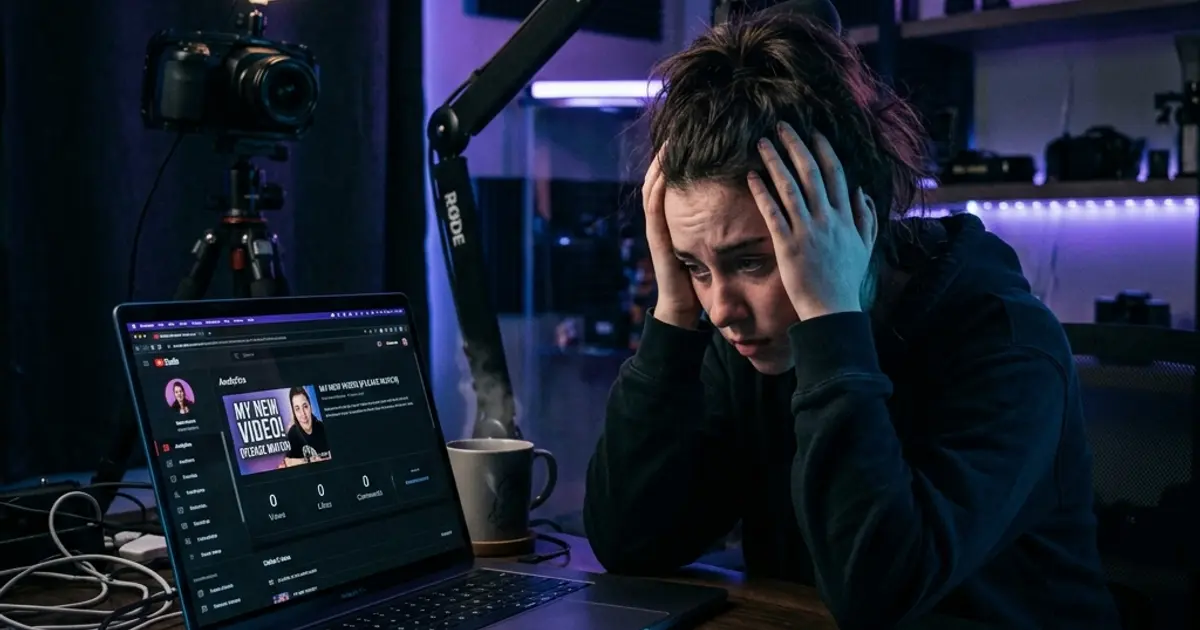
Monday morning: 2 views. Both were me.
By Wednesday, the counter hadn't moved. Not a single comment. Not one like. YouTube's analytics dashboard felt like a doctor handing me bad news — flat lines everywhere. I remember scrolling through other creators' channels and thinking, "What are they doing that I'm not?"
The answer, as I painfully discovered over the next year of obsessive testing and research, was almost everything.
Here's what nobody told me back then — and what I wish someone had screamed in my face: getting zero views on YouTube is almost never about the algorithm "hating" you. It's about making a handful of completely fixable mistakes that starve your video of any chance at discovery.
I built FreeViralKit after living through this exact nightmare. Every tool on the platform exists because I once failed at the exact thing that tool now solves.
If your YouTube videos are stuck at 0 views in 2026, this post is the brutally honest wake-up call you need. No sugarcoating. No generic "just be consistent" advice. Just the real problems — and the real fixes.
Let's rip the band-aid off.
1. Your Titles Are Boring — Nobody Is Searching for Them
The Problem
This is the #1 reason most YouTube videos die on arrival. Your title is the single most important piece of text on your entire video, and most creators treat it like an afterthought.
Here's what a bad title looks like:
- "My Morning Routine"
- "Vlog #47"
- "Unboxing Video"
- "How To Cook Pasta"
These titles commit two fatal sins: they're generic and they contain zero search intent. Nobody on YouTube is typing "Vlog #47" into the search bar. And "How To Cook Pasta" is competing against 4 million other videos with the exact same title.
According to Backlinko's YouTube ranking factors study, videos with keyword-optimized titles significantly outperform generic ones in search results. Your title isn't just a label — it's a search query you're trying to rank for.
The Fix
Your title needs to do three things simultaneously:
- Match a real search query people are actually typing
- Create curiosity so viewers feel compelled to click
- Promise a specific outcome or emotional payoff
Bad: "How To Cook Pasta" Good: "The 1-Minute Pasta Trick Italian Chefs Don't Want You to Know"
Bad: "My Morning Routine" Good: "I Tried a Navy SEAL Morning Routine for 30 Days — Here's What Happened"
Don't guess your titles. Use the YouTube Title Generator to create dozens of keyword-optimized, high-CTR title options in seconds. It analyzes what's actually working on YouTube right now and gives you titles engineered for clicks.
2. You're Ignoring SEO Completely — No Tags, No Description, No Hashtags
The Problem
Imagine opening a store in the middle of a desert with no sign, no address, and no listing on Google Maps. That's exactly what you're doing when you upload a video without proper SEO.
I've audited hundreds of small channels, and the pattern is depressingly consistent:
- Description box: One sentence. Or completely empty.
- Tags: Zero. Or three random words.
- Hashtags: Nonexistent.
YouTube's algorithm is powerful, but it's not psychic. It relies on your metadata — title, description, tags, hashtags, and captions — to understand what your video is about and who to show it to.
When you give it nothing to work with, it shows your video to nobody.
YouTube's own Creator Academy explicitly states that well-written descriptions with relevant keywords help videos surface in search results and suggested videos.
The Fix
Every single video you upload needs:
- A 200-300 word description that naturally includes your target keywords in the first 2-3 sentences. Front-load the most important information.
- 15-30 relevant tags mixing broad terms ("cooking tips") with specific long-tail phrases ("easy weeknight dinner for beginners 2026").
- 3-5 strategic hashtags that categorize your content and tap into trending topics.
Doing this manually for every video is exhausting. That's exactly why I built the YouTube Tags Generator and YouTube Description Generator. Paste your video topic, and they generate fully optimized tags and descriptions in seconds — no SEO expertise required.
Want to know where your current videos stand? Run them through the YouTube SEO Grader. It scores your video's SEO health and tells you exactly what's missing.
3. Your Content Has No Hook — Viewers Leave in 3 Seconds
The Problem
Let's say someone actually clicks your video. Congratulations — you've won the battle for the click. But the war for the view is just beginning.
YouTube doesn't count a view unless the viewer actually watches. And more importantly, the algorithm tracks your audience retention obsessively. If viewers click and immediately bounce, YouTube interprets that as a clear signal: "This video isn't worth recommending."
The first 3-5 seconds of your video are the most critical seconds of content you'll ever create. And most creators waste them with:
- "Hey guys, welcome back to my channel..."
- A 30-second animated intro
- "Before we start, don't forget to like and subscribe..."
- Dead air, fumbling with the camera, throat-clearing
Viewer attention in 2026 is brutally short. A study by Microsoft famously found that the average human attention span has dropped to about 8 seconds — shorter than a goldfish. On YouTube, where the next video is one click away, you have even less.
The Fix
Your video needs to open with a hook — a statement, question, or visual that immediately grabs attention and gives the viewer a reason to keep watching.
Powerful hook formulas:
- The Bold Claim: "This one trick doubled my YouTube views overnight."
- The Question: "Want to know why nobody's watching your videos?"
- The Story: "Last month, I almost quit YouTube. Then I discovered something."
- The Preview: "By the end of this video, you'll know exactly how to..."
- The Shock: "97% of YouTubers make this mistake and never recover."
Your intro should deliver the hook in the first sentence, then immediately preview what the viewer will learn or experience. No fluff. No begging for likes. Just pure value, immediately.
Struggling to write hooks? The YouTube Hook Generator creates scroll-stopping opening lines tailored to your specific video topic. It's the difference between a viewer staying for 10 minutes and bouncing in 3 seconds.
4. You're Uploading Into a Void — Wrong Niche, Zero Research
The Problem
This one hurts because it feels personal. But someone needs to say it.
Some videos get zero views not because they're poorly optimized — but because nobody is looking for that content in the first place.
If you're making videos about a topic with zero search volume, zero trending interest, and zero audience demand, even perfect SEO won't save you. You're essentially shouting into an empty room.
Common mistakes I see:
- Making videos about hyper-niche topics nobody searches for
- Picking topics that are massively oversaturated ("iPhone review" by a channel with 12 subscribers)
- Never researching what your target audience actually wants to watch
- Choosing topics based on what you find interesting rather than what the market demands
The Fix
Research before you record. This is non-negotiable.
Before you commit hours to scripting, filming, and editing a video, you need to answer three questions:
- Is anyone searching for this? Check if your topic has actual search volume on YouTube.
- Can I compete? Look at the top results. Are they all from channels with millions of subscribers, or is there room for a smaller creator?
- Is there a trending angle? Can you tie your topic to something currently buzzing?
The YouTube Topic Researcher does this heavy lifting for you. It analyzes trending topics in your niche, identifies gaps where demand is high but competition is low, and helps you find video ideas that actually have an audience waiting for them.
Stop guessing. Start researching. The creators who consistently get views aren't luckier than you — they're just better prepared.
5. Your Thumbnails Look Amateur — And Nobody Clicks on Ugly
The Problem
Your thumbnail is a billboard on a highway where every car is going 200 mph. You have a fraction of a second to make someone stop.
Amateur thumbnails are the silent killer of YouTube channels. They don't generate error messages. They don't trigger warnings. They just sit there, quietly ensuring nobody ever clicks on your video.
Signs your thumbnails are hurting you:
- Auto-generated thumbnails (YouTube's random frame grabs)
- Tiny, unreadable text that disappears on mobile
- Cluttered, busy designs with no clear focal point
- Dark, low-contrast images that blend into the background
- No faces or emotional expressions (faces drive clicks — it's psychology)
- Inconsistent branding that makes your channel look disorganized
Think about it: YouTube is showing your thumbnail next to videos from creators with professional design teams. If your thumbnail looks like it was made in Microsoft Paint, you've already lost.
The Fix
Great thumbnails follow a proven formula:
- High contrast colors that pop against YouTube's white/dark backgrounds
- One clear focal point — usually a face with an exaggerated expression
- 3-4 words of large, bold text that adds context the title doesn't
- Clean, uncluttered composition with plenty of negative space
- Consistent style so viewers recognize your content instantly
You don't need Photoshop skills or a design degree. The YouTube Thumbnail Generator helps you create professional, click-worthy thumbnails that stand out in any feed. It applies the design principles that top creators use — automatically.
Remember: a 10% improvement in your click-through rate can mean the difference between 100 views and 10,000 views. Thumbnails are that important.
6. You're Not Giving the Algorithm Any Signals — So It Ignores You
The Problem
The YouTube algorithm isn't your enemy. It's actually designed to help good content find its audience. But it needs signals to know your video is worth promoting.
Here's how YouTube decides whether to push your video:
- Click-through rate (CTR): Are people clicking your thumbnail and title?
- Watch time: Are viewers actually watching, or bouncing immediately?
- Engagement: Are people liking, commenting, sharing, and saving?
- Session time: Does your video lead viewers to watch MORE YouTube?
When a new video gets zero engagement signals, the algorithm has no evidence that anyone cares about it. So it stops showing it to new people. It's a vicious cycle: no views → no signals → no promotion → no views.
The Fix
You need to proactively generate those initial signals:
- Share your video in relevant communities, forums, Discord servers, and social media groups within the first 24 hours
- Ask a specific question in your video to encourage comments ("Tell me in the comments which tip you're trying first")
- Create playlists to boost session time and guide viewers to more of your content
- Optimize your upload time to publish when your target audience is most active
- Respond to every single comment in the first 48 hours to boost engagement signals
- Use end screens and cards to keep viewers in your content ecosystem
But here's the thing most people miss: all of these strategies work exponentially better when your foundational SEO is solid. If your title, description, tags, and thumbnail are all optimized, every share, every comment, and every like carries more algorithmic weight.
That's why the first step is always to audit your existing content. Use the YouTube SEO Grader to identify which of your videos are underperforming due to fixable SEO issues. You might be surprised — sometimes a simple title change or description update can resurrect a dead video.
The Uncomfortable Truth: It's Fixable, But Only If You Act
Here's what separates creators who break through from those who quit: the ones who succeed stop making excuses and start making changes.
Every single problem in this article has a clear, actionable fix. You don't need expensive courses. You don't need to hire an agency. You don't need to "get lucky" with the algorithm.
You need to:
- Write titles people are actually searching for
- Optimize your metadata so YouTube knows what your video is about
- Hook your viewers in the first 3 seconds
- Research topics before you waste hours creating content nobody wants
- Design thumbnails that demand attention
- Generate engagement signals that tell the algorithm your content matters
And you need to do all of this consistently, for every single upload.
Frequently Asked Questions
Why does my YouTube video have 0 views after 24 hours?
The most common reason is poor discoverability. If your title doesn't match any search queries, your description is empty, and you have no tags or hashtags, YouTube's algorithm has no way to categorize or recommend your video. Run your video through the YouTube SEO Grader to see exactly what's missing and fix it immediately.
Does YouTube shadowban small channels?
No. YouTube does not shadowban channels. What feels like a shadowban is almost always the result of poor SEO, low click-through rates, or content that doesn't match audience demand. Small channels can absolutely get views — but only when the fundamentals (title, thumbnail, tags, description) are properly optimized.
How long does it take for a YouTube video to get views?
Most videos get the majority of their initial views within the first 48-72 hours. However, well-optimized evergreen content can continue gaining views for months or even years through YouTube search. The key is optimizing for search intent so your video can be discovered long after the upload date.
Can I fix old videos that got 0 views?
Absolutely. Updating your title, description, tags, and thumbnail on older videos can significantly boost their performance. YouTube re-evaluates videos when metadata changes. Many creators have seen dead videos suddenly gain traction after a simple SEO refresh using tools like the YouTube Title Generator and YouTube Tags Generator.
What is a good click-through rate (CTR) on YouTube?
The average CTR on YouTube is between 2-10%, with most channels hovering around 4-5%. A CTR above 6% is considered good, and anything above 10% is excellent. If your CTR is below 2%, your title and thumbnail combination needs serious work. Focus on creating curiosity-driven titles and high-contrast, face-forward thumbnails.
Stop Getting Zero Views — Start Using the Right Tools
You've read the brutal truths. You know what's broken. Now it's time to fix it.
FreeViralKit gives you every tool you need to optimize your YouTube videos — completely free. No signup walls. No credit card. No catch.
Start here:
- YouTube SEO Grader — Audit your video's SEO health and find out exactly what to fix
- YouTube Title Generator — Create titles that rank in search AND get clicks
- YouTube Tags Generator — Generate perfectly optimized tags in seconds
- YouTube Description Generator — Write keyword-rich descriptions that boost discoverability
- YouTube Hook Generator — Craft opening lines that stop the scroll
- YouTube Topic Researcher — Find video ideas people are actually searching for
- YouTube Thumbnail Generator — Design thumbnails that demand clicks
Your next video doesn't have to get zero views. But only if you do something different this time.