The "Cliff of Death" That Almost Broke My Channel A few years ago, I poured my heart, soul, and a ridiculous amount of coffee into what I thought would be my magnum opus. It was a 15-minute deep-dive video that took me three entire weeks to research, script, shoot, and edit. When I finally clicked publish, the initial metrics looked incredibly promising. My click-through rate (CTR) was hovering around a phenomenal 12%. I was literally refreshing the YouTube Studio app every ten minutes, watching the view count climb faster than any video I had ever posted. But then, disaster struck. After the first 24 hours, the algorithm suddenly flatlined. My impressions completely dried up. Confused and frustrated, I dug into the analytics to see what went wrong. That is when I saw it. The dreaded "Cliff of Death." Within the first 30 seconds of the video, a staggering 65% of my viewers had clicked away. By the three-minute mark, only 15% were still watching. The graph didn't look like a gentle slope; it looked like a terrifying drop off a sheer cliff face. All that effort, all those sleepless nights, and the vast majority of people did not even make it past my introduction. I realized a painful truth that day: getting someone to click your thumbnail is only 10% of the battle. The other 90% is **YouTube audience retention**. I spent the next six months obsessively studying viewer psychology, analyzing retention graphs of successful creators, and testing different hook strategies. I wanted to understand exactly what makes someone stay and watch, versus what makes them reach for the back button. What I discovered fundamentally changed how I structure my content. If you are tired of watching your retention graphs look like a ski slope, you are in the right place. Let's break down the ultimate **YouTube audience retention** strategy to keep your viewers glued to the screen from the first frame to the final second. 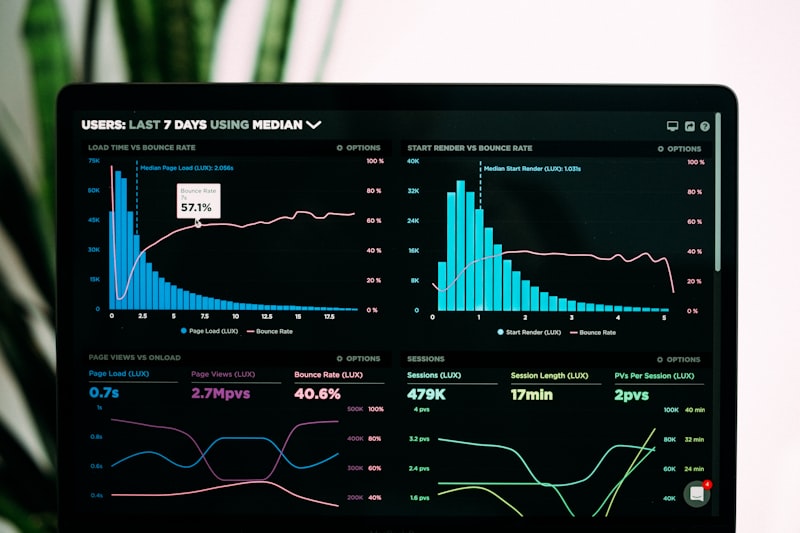 ## Surviving the First 30 Seconds: The Hook Strategy The first 30 seconds of your video dictate its entire future on the platform. YouTube's algorithm heavily weights this initial window because it answers the most critical question: Did this video deliver on the promise made by the title and thumbnail? When a viewer clicks your video, they are acting on an expectation. If your thumbnail suggests a fast-paced tutorial on video editing, but your first 30 seconds consist of you slowly sipping coffee and talking about what you had for breakfast, they will leave. You have broken their trust. Here is the secret to a perfect hook: **Start in the middle of the action.** Skip the generic "Hey guys, welcome back to my channel" introduction. Nobody cares. Instead, use the "In Media Res" technique, a storytelling method where the narrative opens in the middle of the plot. If you are doing a cooking video, start with the sizzle of the steak hitting the pan and a bold statement about why most people ruin this specific cut of meat. If you are doing a tech review, start with the most surprising feature of the phone before you even say its name. A client of mine runs a personal finance channel. They used to start their videos by explaining the economic history of the topic. Their retention was abysmal. We changed their hook strategy to immediately state the viewer's core pain point: *"If you are keeping your savings in a traditional bank account in 2026, you are actively losing money every single day. Today, I am going to show you exactly how to stop the bleeding."* Their retention at the 30-second mark jumped from 40% to 75% overnight. You must validate the viewer's click immediately. If you need help crafting the perfect promise to begin with, our [YouTube Title Generator](/youtube-title-generator) can help you brainstorm compelling angles. ## Pacing and The Art of the "Micro-Hook" Once you survive the first 30 seconds, you face a new challenge: the slow bleed. This is where your retention graph steadily declines over the course of the video. To combat this, you need to understand pacing and implement what I call "micro-hooks." A macro-hook is the big promise at the beginning of the video. Micro-hooks are smaller promises scattered throughout the video to pull the viewer into the next section. Think of your video as a series of connected rooms. When the viewer enters one room, they need a reason to walk into the next one. You create this reason by opening "curiosity gaps." Before you finish explaining one concept, tease the next one. For example, instead of just transitioning to the next point by saying, *"Now let's talk about lighting,"* you could say, *"This camera setting is crucial, but it completely falls apart if you make this one incredibly common lighting mistake, which is exactly what we are going to fix right now."* You are constantly giving the viewer a reason to stick around for just one more minute. You are teasing the payoff. Combine this with rapid pacing. Cut out the fluff. Remove the "umms," "ahhs," and long pauses. If a sentence does not advance the narrative, teach the viewer something new, or make them laugh, cut it out. Ruthless editing is the backbone of high audience retention. ## Visual Pattern Interrupts That Reset Attention The human brain is wired to notice change and ignore the static. If your video is just one continuous, wide shot of you sitting at a desk talking to the camera for ten minutes, your viewers will zone out. They will open a new tab. They will start scrolling on their phone. You will lose them. To maintain a high **audience retention**, you must use "pattern interrupts." A pattern interrupt is any sudden change in the visual or auditory flow of the video that snaps the viewer's attention back to the screen. These can be incredibly simple:
1. Punching In and Out: Simply zooming the camera in by 15% on a key sentence, and then cutting back out to the wide shot. 2. B-Roll and Overlay Footage: Showing what you are talking about instead of just describing it. If you mention a specific software feature, show a screen recording. 3. Text on Screen: Highlighting key words or statistics with clean, animated text. 4. Sound Effects (SFX): A subtle "whoosh" during a transition or a small "pop" when text appears on screen. You do not need to edit like MrBeast, with a cut every 1.5 seconds, to have good retention. But you do need to introduce some level of dynamic change every 10 to 15 seconds. It subconsciously signals to the viewer's brain that new, important information is happening, preventing them from losing focus. If you are struggling to get enough traffic to test these retention strategies, check out our guide on how to promote your YouTube videos to get those initial eyeballs on your content. ## The Payoff: Delivering on Your Thumbnail Promise One of the biggest mistakes I see creators make is artificially holding the "payoff" hostage until the very last second of the video, assuming this will force 100% retention. This usually backfires. If your thumbnail promises to reveal the "Secret Formula for Viral Shorts," and you spend 12 minutes rambling about unrelated topics before giving the formula in the last 30 seconds, viewers will get frustrated. They will scrub ahead, skip the middle, or simply leave and dislike the video. The goal is to deliver value consistently throughout the entire runtime. You want to give them the payoff they clicked for, but then over-deliver by providing additional value they didn't even know they needed. Give them the "what" early on, but spend the rest of the video explaining the "how" and the "why." If you promise a secret formula, reveal the formula within the first two minutes! But then, spend the next eight minutes showing exactly how to apply that formula with real-world examples, case studies, and common mistakes to avoid. This builds tremendous trust. When you deliver value immediately, viewers start to see you as an authority. They watch until the end not because they are waiting for a withheld secret, but because they are genuinely enjoying the depth of your expertise. Building this kind of authority is essential for long-term growth, as discussed in our guide to growing an educational YouTube channel. ## Why End Screens Are Killing Your Retention (And How To Fix It) Take a look at your retention graphs. I guarantee that in almost every video, there is a massive, steep drop-off in the final 20 to 30 seconds. Why? Because you are signaling that the video is over. The moment you say the words, "to summarize," or "Thanks so much for watching," or the moment your end-screen music starts playing, the viewer's brain checks out. They have gotten what they came for, and they are already looking at the sidebar for the next video to click. This final drop-off hurts your overall average view duration (AVD). So, how do you fix it? You need to remove the traditional "outro" entirely. Instead of wrapping up with a nice, neat bow, you need to smoothly transition the viewer into another one of your videos. Do not summarize what they just watched. Do not ask them to subscribe. Do not spend 20 seconds thanking them. Instead, use a direct hook to another video. Say something like: "Now that you know how to edit your videos for maximum retention, none of it will matter if your thumbnail is terrible. But don't worry, I made a video right here showing you the exact psychology behind thumbnails that get a 10% CTR. Click here, and I'll see you over there." Boom. You hit the end screen graphic while you are still talking, and the video ends abruptly 5 seconds later. By removing the traditional outro, you keep the viewer engaged right up to the final second, drastically improving your retention metrics and boosting your binge-watching sessions. --- ## Frequently Asked Questions ### What is a good audience retention rate on YouTube? A "good" retention rate heavily depends on the length of your video. For a 5-minute video, an average view duration (AVD) of 50% to 60% is excellent. For a longer, 20-minute video, an AVD of 35% to 45% is considered very strong. Ultimately, you should focus on improving your own baseline rather than constantly comparing yourself to arbitrary industry averages. ### Why do I lose so many viewers in the first 30 seconds? This is almost always due to a mismatch between the thumbnail/title and the actual content of the video's intro. If a viewer clicks expecting a fast-paced tutorial but gets a 45-second animated logo intro and a long, rambling personal update, they will leave. You must deliver on the core promise immediately to secure those crucial first 30 seconds. ### Do chapters and timestamps hurt audience retention? No, chapters usually help overall retention and engagement! While they might allow a viewer to skip a specific section, they prevent the viewer from abandoning the video entirely. If someone gets bored, timestamps give them a way to find the exact information they want, keeping them on your video rather than bouncing to a competitor's channel. ### Can bad audio quality affect my retention graph? Absolutely. Viewers are highly forgiving of mediocre video quality, but they have zero tolerance for bad audio. If your audio is echoey, distorted, or too quiet, viewers will click away within seconds, completely destroying your retention graph. Investing in a decent microphone is the easiest way to instantly boost your metrics. ### How do I fix the massive drop at the end of my videos? Stop telling the viewer the video is over. Avoid phrases like "That's all for today" or "Thanks for watching." The moment you signal the end, viewers leave. Instead, abruptly transition your final point directly into pitching another specific video on your channel, and end the video just a few seconds later. --- ## Stop Guessing, Start Retaining Mastering your YouTube audience retention strategy is not about tricking the viewer into staying; it is about respecting their time and delivering relentless value. Every time you open an editing timeline, ask yourself: Is this frame absolutely necessary? When you learn to cut the fluff, utilize pattern interrupts, and hook the viewer emotionally, the YouTube algorithm will reward you with unprecedented impressions. But getting them to stay is only half the puzzle; you need them to find you first. Make sure your videos are fully optimized for search by utilizing our YouTube Tags Generator to capture high-intent traffic. And if you are struggling to summarize your video's core value proposition in the description box, let our YouTube Description Generator do the heavy lifting for you. Your next video could be the one that finally hooks them until the end. Now get back to creating.